Make Your Day Run Itself
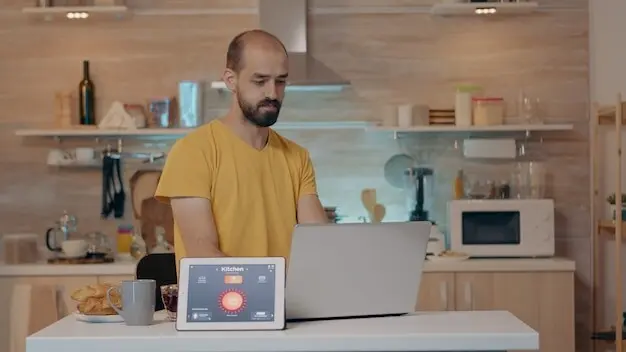

Today we’re diving into no-code automation for everyday tasks, showing how visual builders, simple triggers, and ready-made connectors can quietly remove repetitive clicks from your life. Expect practical examples, honest pitfalls, and friendly guidance so calendars fill themselves, messages route correctly, files sort automatically, and checklists update without you lifting a finger. You’ll learn where to start, which tools to try, and how to build tiny wins that stack into real, lasting time savings without writing a single line of code.

From Manual Grind to Effortless Flow

Every day hides dozens of invisible loops: renaming attachments, copying notes, pinging teammates, or nudging yourself to drink water. When these loops repeat more than twice, they’re perfect candidates for gentle automation. By mapping steps as a mini-journey—something happens, you respond, a result appears—you expose the structure underneath the noise. Replace clicks with triggers and actions, then measure reclaimed minutes. The process feels like tidying a drawer: once organized, everything becomes easier to reach, and you wonder why you waited.

Spot the Hidden Repeats

Carry a small notepad—or a simple counter app—for one day and tally any action you repeat. Forwarding invoices, archiving newsletters, pasting meeting links, exporting rows: patterns will pop. Prioritize items that are boring, frequent, and low-risk. Those are the easiest wins. You’ll build confidence, save visible time, and learn what to automate next without overthinking or overengineering anything complicated or fragile.

Sketch the Steps, Not the Syntax

Write your process as plain sentences: “When a new email arrives from this address, save the attachment to this folder, rename it with today’s date, then notify me in chat.” No logic symbols, only natural language. This clarity becomes your blueprint inside a visual workflow builder, where each sentence turns into a trigger or action block. Clear writing eliminates confusion later and prevents surprising behavior.

Start Tiny, Celebrate Quickly

Automate only the first step of a bigger routine and ship it today. Maybe just saving a file automatically, or posting a gentle reminder to a channel. Enjoy the immediate relief, then extend carefully. Small, stable wins compound beautifully, and they teach you how to handle edge cases without risking your entire process. Celebrate progress publicly and inspire others to try their own lightweight improvements.

Blueprints Anyone Can Build

Visual automation is just building blocks: a trigger listens, actions respond, conditions decide, and paths branch. Once you know this grammar, you can translate countless chores into dependable flows. Filters protect you from noise, delays space things out, and loops handle lists gracefully. The result is a library of reusable recipes that feel natural to maintain. Think of it like organizing kitchen tools by task, so your hand finds exactly what it needs at the moment of cooking.

Your Friendly Toolkit

{{SECTION_SUBTITLE}}

Zapier, Make, and IFTTT at a Glance
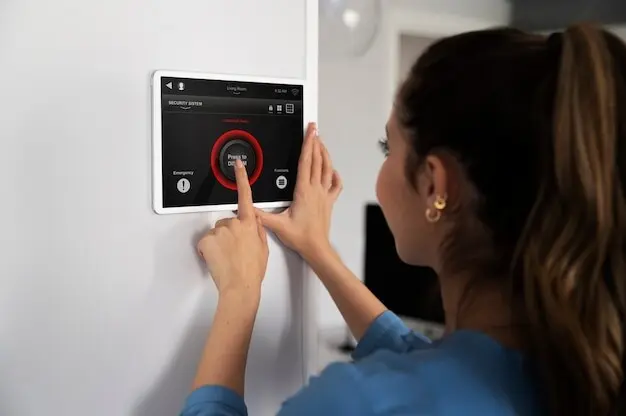
These tools specialize in gluing services together with minimal fuss. Zapier shines with vast connectors and clear logs. Make offers visual canvases with routers and iterators for creative branching. IFTTT remains delightfully simple for lightweight applets and personal triggers. Experiment using the same small workflow across all three. You will notice which interface invites you to keep refining without friction or confusion.

Shortcuts, Power Automate, and n8n

For device-native and enterprise-friendly options, explore Apple Shortcuts for on-the-go routines, Microsoft Power Automate for deep Microsoft 365 ties, and n8n for self-hosted flexibility. Each supports variables, conditional logic, and powerful integrations. Choose based on control, data residency, or extensibility. Even mixing tools can work wonderfully: a device shortcut can kick off a cloud flow that handles the heavier lifting quietly and consistently.

Keep Data Safe, Keep Trust High

Convenience should never cost you privacy or integrity. Understand what each connector can access, store, and modify. Limit scopes to what is necessary, rotate tokens, and avoid sharing unnecessary personal details in logs. When dealing with sensitive information, prefer encryption and carefully chosen storage locations. Set reminders to review permissions quarterly. Strong hygiene creates quiet confidence, letting automations run continuously without nagging doubts or complicated second-guessing about unseen data exposure.
Before authorizing a new connection, read the requested scopes slowly. If a workflow only needs to read a calendar, do not grant write access. Consider creating separate service accounts for automations to quarantine risk. Document what each token does and when it expires. This small ritual prevents sprawling access and makes audits painless when someone asks precisely who can touch what and why.
Protect API keys with built-in vaults or secure environment variables, never plain-text notes. Configure logs to redact sensitive values automatically. Schedule backups of critical workflows and export configurations to version control. If a platform offers rollback, practice using it. Recovery drills turn rare incidents into routine procedures, ensuring a broken connector or accidental edit becomes a minor hiccup instead of a multi-hour scramble to reconstruct missing logic.

Stories from Busy Lives

Real wins often start small: a lone trigger that renames receipts, a scheduled summary that arrives before standup, or a family reminder that appears at the perfect time. These simple victories shift attitudes from skepticism to curiosity. Bit by bit, people explore deeper connectors and smarter filters, trading constant interruption for a calm feed of relevant updates. Each story begins with a single hour saved, then unfolds into a gentler, more thoughtful way of working every day.

A Freelancer Reclaims Afternoons

A designer automated intake forms so client details populate a project board, folders are created with consistent names, and kickoff emails send themselves. Status updates roll into a weekly digest that arrives before Friday planning. The first month yielded ten reclaimed hours, fewer mismatches, and zero lost files. With trust established, the workflow expanded to invoice reminders and late-payment nudges, transforming anxious follow-ups into courteous, timely nudges that preserve relationships.

A Teacher Streamlines Parent Updates

A simple flow converts quiz results into progress notes, tags students needing attention, and drafts messages for review before sending. Office hours appear automatically on calendars with sign-up slots. Parents appreciate clarity; the teacher feels supported. No extra software training, no late-night data entry. The time saved returns to feedback and planning, where care matters most, and classroom energy benefits from restful evenings unburdened by clerical repetition.

Measure, Improve, and Share

Automations thrive when you track what they save. Write a quick baseline: how long tasks took before, how often they happened, and how reliable outcomes felt. Add lightweight metrics: runs per week, failures, average duration. Schedule a monthly review to prune, combine, or expand. Finally, teach someone your favorite trick. Teaching reveals gaps, sparks better ideas, and slowly builds a culture where helpful systems multiply without waiting for perfect conditions.

Define Success in Minutes and Smiles

Quantify time saved, but also note softer wins: fewer interruptions, calmer mornings, or clearer handoffs. Ask colleagues whether updates arrive when they are most useful. A single five-minute daily win equals thirty hours a year. Write these numbers down. Seeing them transforms experiments into priorities and helps you decide which workflows deserve polish, documentation, and thoughtful onboarding for new teammates joining later.

Fix Breaks Before They Happen

Set alerts for failures, quotas, and missing fields. Add retry logic and alternate paths for known hiccups. Keep a tiny runbook explaining what each flow does and how to reset it. When an integration changes, you will adjust calmly instead of firefighting. Preventative care keeps confidence high, and confidence invites bolder automations that still behave kindly under pressure and unexpected data surprises.


Zoridavoveltosano
Privacy Overview

This website uses cookies so that we can provide you with the best user experience possible. Cookie information is stored in your browser and performs functions such as recognising you when you return to our website and helping our team to understand which sections of the website you find most interesting and useful.